NOW YOU SEE IT:
DASHBOARD MAGIC WITH
DYNAMIC ZONE VISIBILITY IN TABLEAU
July 14, 2026 - 8pm BST / 3pm EDT
FREE LIVE WEBINAR
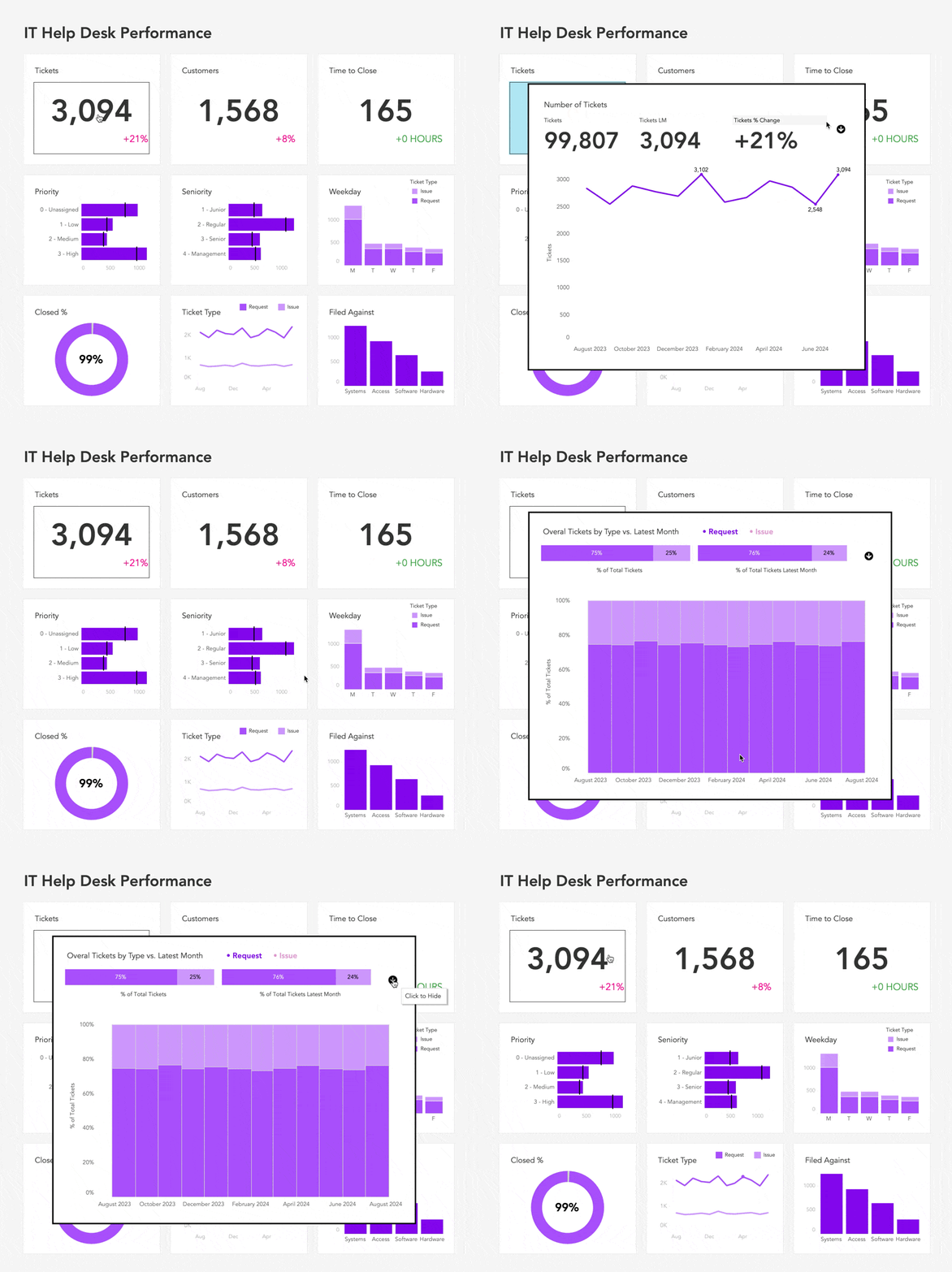
Learn how to hide what’s not needed, reveal what matters, and create dashboards that drive better decisions.
by Tableau Visionary Andy Kriebel
Here's what's waiting for you when you join us live...
1
LEARN
how to control exactly what users see and when they see it
2
CREATE
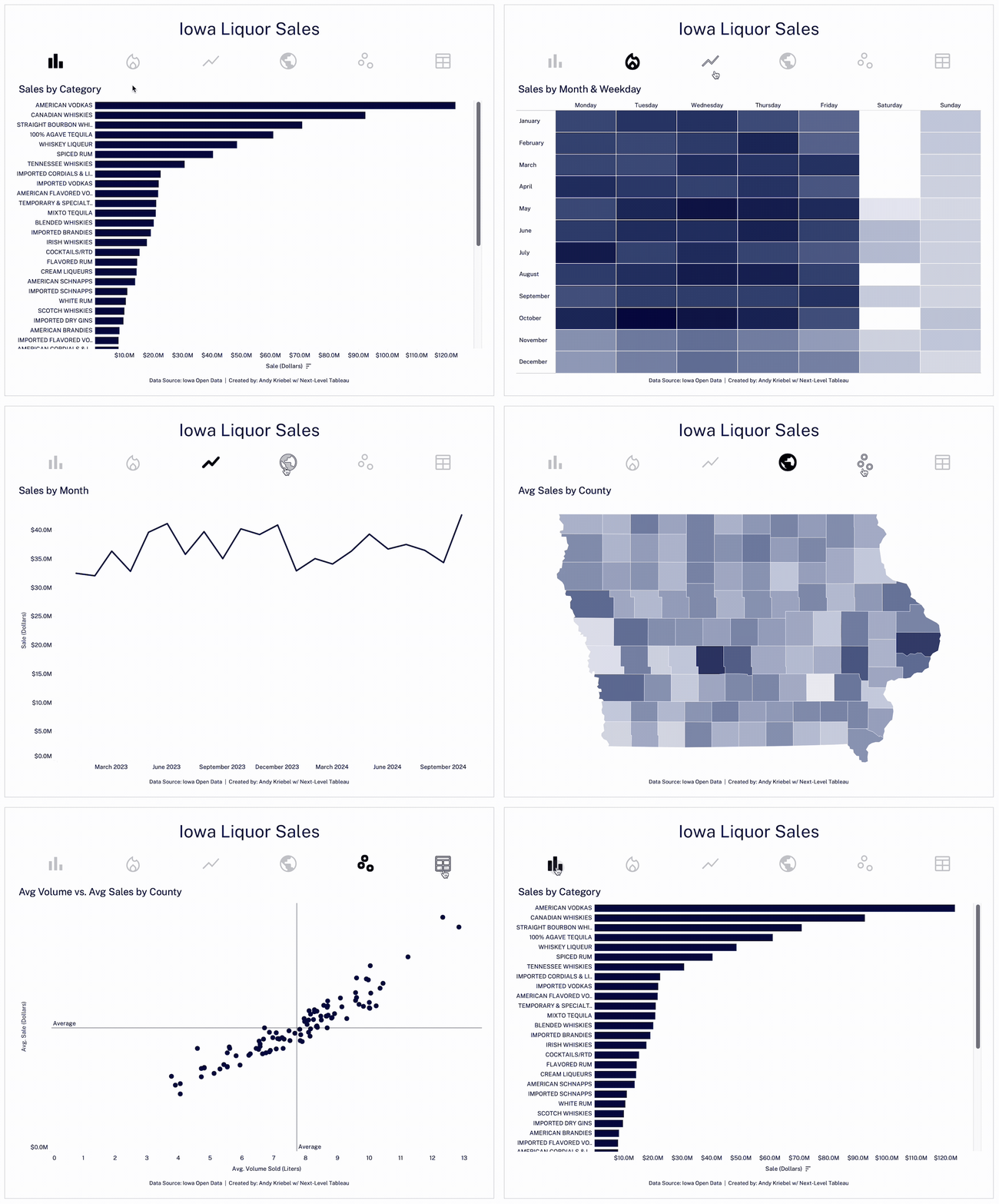
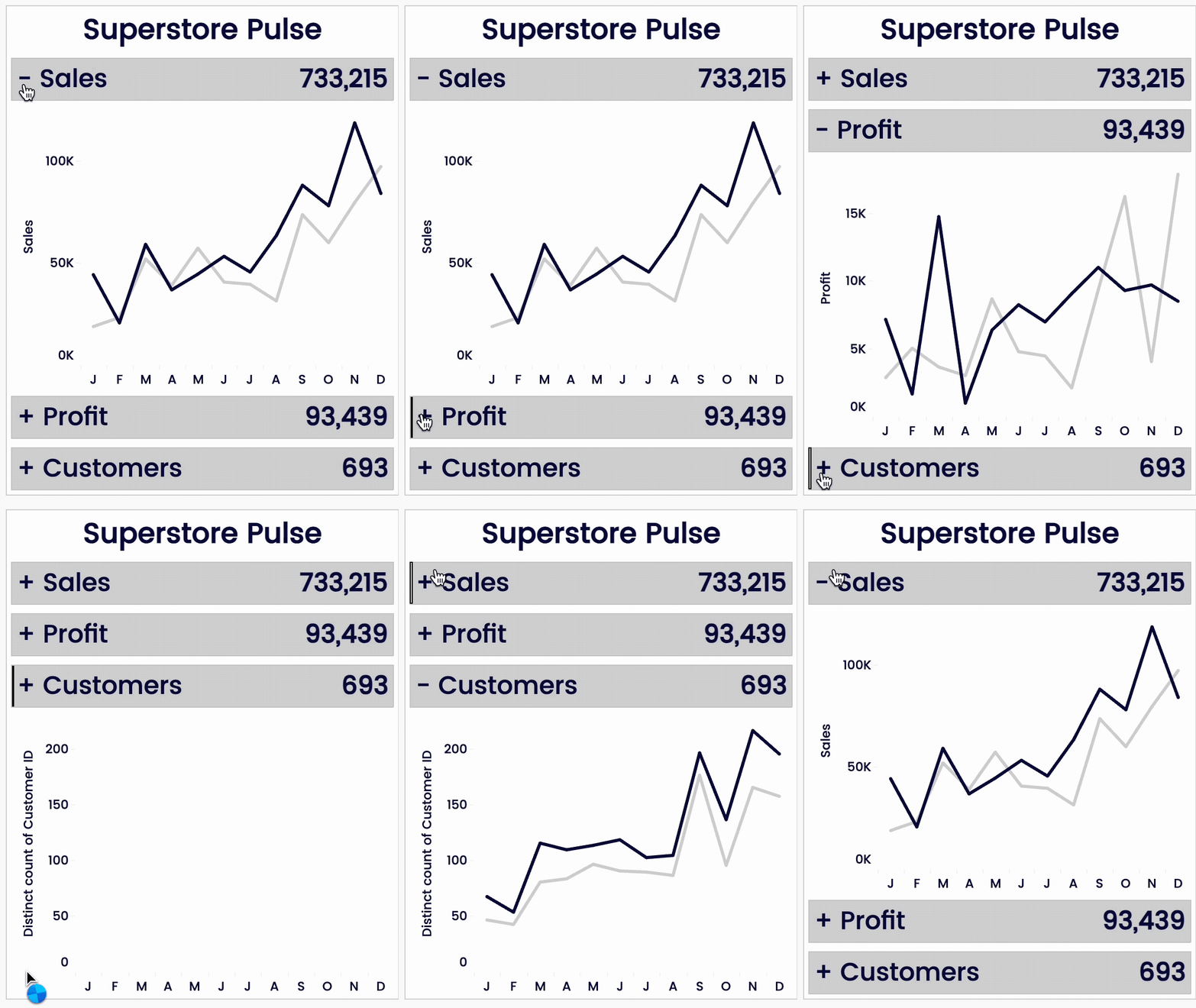
clean, interactive dashboards that switch between views instantly
3
IMPRESS
your stakeholders so you become their go-to person

HEY ANALYSTS
STOP STRUGGLING
with cluttered, complicated that are too hard to navigate.
START USING DYNAMIC ZONE VISIBILITY
to keep stakeholders focused on real insights at the right time.
IF YOU’VE EVER:
felt like your dashboards could be doing more
watched your stakeholders squinting at the screen, trying to make sense of all the data
or been asked to “just give it to me in Excel”
….it’s time to stop guessing and start building with confidence.
In this free, live webinar, Andy Kriebel—Tableau Visionary and dashboard expert—will break down how to use Dynamic Zone Visibility the right way, so your dashboards become cleaner, more interactive, and deliver insights your stakeholders will love.
At the end of the session, I’ll share an optional next step for those who want to build and publish their own DZV dashboard with me, live, in a small-group workshop.
In just 60 minutes,
YOU’LL LEARN HOW TO:
-

Understand the core building blocks of DZV (parameters, calcs, containers, actions)
-

See real examples of when DZV makes dashboards clearer and more “senior.”
-

Spot common mistakes that make DZV dashboards brittle or confusing
-

Know when to reach for DZV vs. when to keep it simple)

So you can build better dashboards, master Tableau, and advance your career.
HOW THIS TRAINING WILL HELP YOU
Most analysts never fully master Dynamic Zone Visibility—and it shows. This isn’t just a lesson on “adding interactivity.” It’s a deep dive into building visualizations that:
Earn instant buy-in from stakeholders
Feel polished and dynamic at first glance
Make you look like the strategic thinker you are
Walk away with techniques you can apply immediately (and keep using to elevate every dashboard you build)
Praise for
NEXT-LEVEL TABLEAU

“For me, the trick to getting out of the rut was signing up for Next Level Tableau! Getting to the next level required one-on-one time with the best in the business.”
Jarod Vierstra | Tableau Consultant at Chart My Data

“Before Next-Level Tableau, I struggled with data visualization and often felt uncertain about my skills and approach.
Now, my approach has completely changed—I now fully understand basic and complex Tableau concepts.”
Mayokun Akeremale | Information Specialist at FAO
IF YOU DON’T KNOW ME YET…
I’M ANDY KRIEBEL
Tableau Visionary Hall of Fame member
Also known as VizWiz, the Tableau Guy, a Tableau Visionary and most recently, Data IQ’s top 100 most influential people. Go me.
But 18 years ago when Coca-Cola tasked me to build a dashboard – I thought they were talking about a car.
I found Tableau and had the entire project done in 30 minutes. And from that moment, I was hooked.
I’ve spent almost two decades turning data into impact – mastering Tableau and helping thousands of analysts do the same.

THIS IS FOR YOU IF:
You’ve already built multiple dashboards in Tableau and want them to feel polished, not clunky.
You’re an intermediate or advanced analyst who’s frustrated by complicated containers and half-working interactions.
Your stakeholders still ask for “just give it to me in Excel” and you want your dashboards to change that.

STOP GUESSING
START BUILDING WITH CONFIDENCE.
Your dashboards—and your career—deserve better visualizations.
July 14, 2026 - 8pm BST / 3pm EDT
FREQUENTLY ASKED QUESTIONS
-
The webinar will be recorded and everyone who registers will get access. You can register here.
-
This webinar is for intermediate to advanced Tableau users who are already building dashboards and want them to feel cleaner, more interactive, and more senior.
-
You’ll get the recording, slides, and example workbook I use to illustrate the patterns. If you want step‑by‑step help wiring your own DZV dashboard, I’ll share how to join an optional hands‑on workshop at the end of the session.
-
Block time, remove distractions, and come ready to take notes and think through your own dashboards. This session is about the mental model and use cases, not clicking through every step.
-
Often, these webinar have a lot of attendees, so it's impossible to answer every single question. Drop your questions in the chat and we’ll do our best to answer them.
-
Publish any dashboards you create to your Tableau Public account. Then write a LinkedIn post about what you learned with an image and a link to your dashboard. Don't forget to tag Andy on your post.